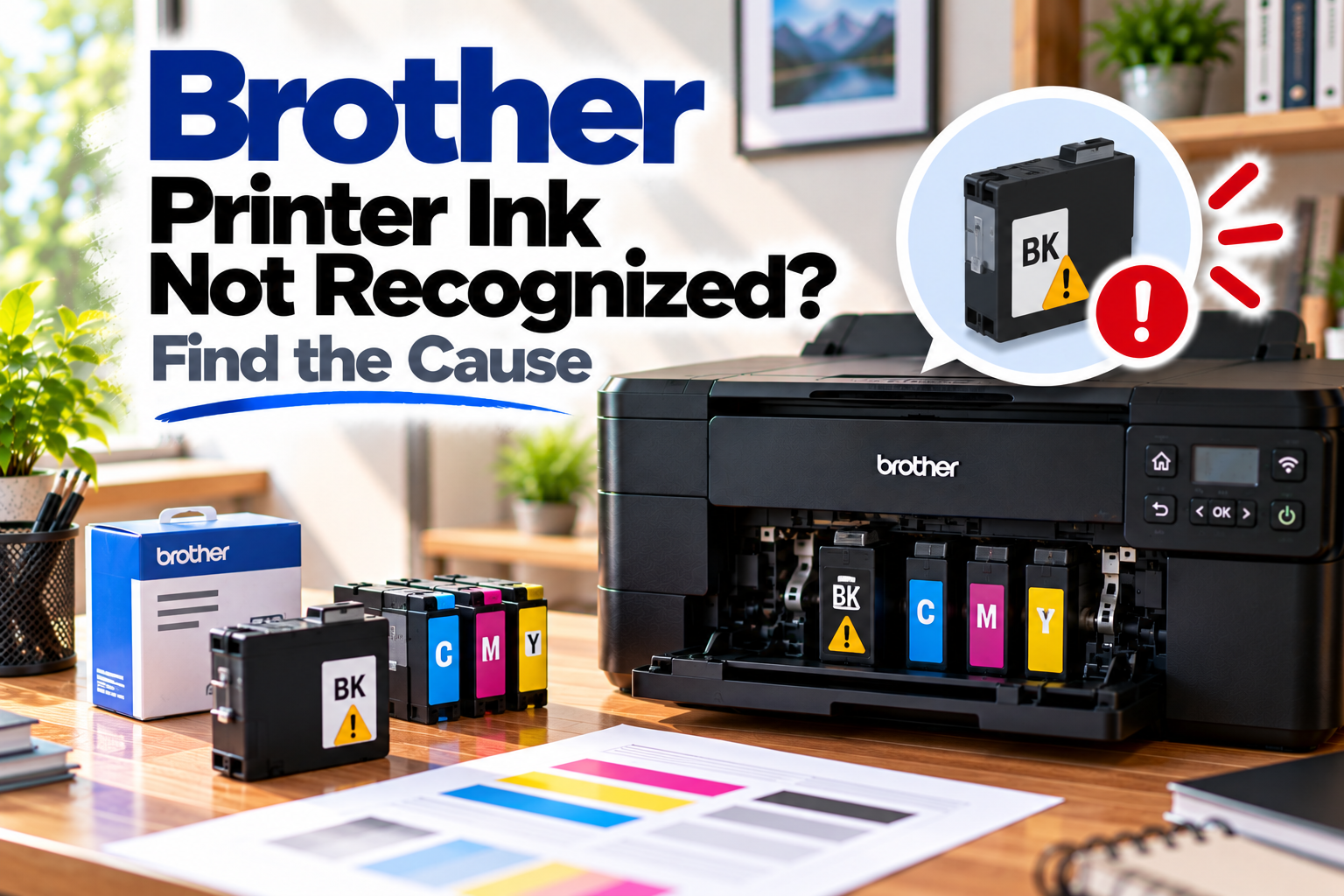
Brother Printer Ink Not Recognized? Find the Cause
If your Brother printer ink not recognized message appears after installing a new cartridge, the printer may refuse to print even though the cartridge is physically in place. The problem can be caused by an incorrect cartridge, improper installation, protective material that has not been removed, or the printer simply not detecting the cartridge correctly.
Before replacing the cartridge again, check the installation and let the printer re-detect it.
Quick Diagnosis: Start Here
| What you’re seeing | Start here |
|---|---|
| A new ink cartridge is not recognized | Go to Fix 1 |
| The printer says a colour cartridge is missing | Go to Fix 2 |
| The cartridge worked previously but is now not detected | Go to Fix 3 |
| The problem started immediately after changing ink | Go to Fix 4 |
| Only one colour cartridge is not recognized | Go to Fix 5 |
| The printer shows an ink error after restarting | Go to Fix 6 |
| The cartridge appears installed but printing is blocked | Go to Fix 7 |
| The cartridge still isn’t recognized | Go to Fix 8 |
Why This Happens
A Brother inkjet printer may fail to recognise a cartridge for several reasons:
- The cartridge is not the correct type for the printer.
- The cartridge has not been seated properly.
- Protective packaging or sealing material has not been removed.
- The printer’s cartridge detection system has not registered the replacement.
- The cartridge contacts are not making proper contact.
- The cartridge has been installed in the wrong colour position.
- The cartridge or printer may have developed a hardware problem.
If the error appeared immediately after replacing ink, start with the cartridge installation rather than changing the printer software.
Fix 1: Remove and Reinstall the Cartridge
Start with the simplest fix.
Remove the cartridge that the printer is not recognising.
Then reinstall it carefully, following the installation method for your Brother model.
Make sure the cartridge clicks or sits firmly into its correct position.
After reinstalling it, close the ink-cover area and give the printer a moment to recognise the cartridge.
Check the printer display or ink status again.
If the error disappears, try printing a simple document.
Fix 2: Make Sure the Cartridge Is in the Correct Position
Brother printers use separate colour cartridges on compatible inkjet models, and each cartridge needs to be installed in its designated position.
Check the colour marking on the cartridge and compare it with the position inside the printer.
For example, a cartridge intended for cyan should not be installed in the magenta or yellow position.
If you’re unsure, remove the affected cartridge and check the labels before reinstalling it.
A cartridge in the wrong position may prevent the printer from recognising the expected colour correctly.
Fix 3: Check the Cartridge Packaging
If the cartridge is brand new, inspect it carefully.
Depending on the cartridge type, there may be protective material that needs to be removed before installation.
Make sure you have followed the installation instructions for your particular Brother model.
Do not remove or alter parts that are not identified as removable. The goal is simply to make sure the cartridge is installed exactly as intended.
Once checked, reinstall the cartridge and see whether the printer recognises it.
Fix 4: Check Whether the Problem Started With a New Cartridge
If the printer recognised the previous cartridge but immediately stopped recognising the replacement, the timing is an important clue.
Remove the new cartridge and check:
- The cartridge model or part number
- The colour
- The installation position
- Whether it is properly seated
- Whether the printer recognises it after reinstalling
If the printer recognises another known-compatible cartridge but not the new one, the issue may be specific to that cartridge.
Avoid repeatedly forcing a cartridge into place.
Fix 5: Check the Affected Colour
If only one cartridge is showing an error, focus your troubleshooting on that cartridge.
For example, if the printer recognises black, cyan and yellow but reports a problem with magenta, there is little reason to disturb the other three cartridges.
Remove the affected cartridge and reinstall it.
Check that it is:
- The correct colour
- The correct type for your printer
- Properly seated
- Free from obvious damage
Then allow the printer to check the cartridge again.
Fix 6: Restart the Brother Printer
Sometimes a cartridge replacement does not immediately clear from the printer’s status.
After checking the cartridge installation, restart the printer.
- Turn off the Brother printer.
- Wait briefly.
- Turn it back on.
- Allow it to complete its startup process.
- Check the ink status again.
If the cartridge is recognised after the restart, try a small print job.
If the same cartridge error returns immediately, continue with the next checks.
Fix 7: Check the Cartridge Contacts
If the cartridge appears correctly installed but the printer still cannot detect it, the electrical contacts may not be making proper contact.
Remove the cartridge and inspect the accessible contact area for obvious dirt, ink residue or damage.
Handle the cartridge carefully and avoid touching sensitive electrical contact areas unnecessarily.
Reinstall it securely and check whether the printer detects it.
If the cartridge or its contacts appear damaged, replacing the cartridge may be more appropriate than repeatedly reinstalling it.
Fix 8: Try a Known-Compatible Cartridge
If you’ve checked the installation, colour, cartridge type and printer status but the error remains, the cartridge itself may be the problem.
If you have access to another known-compatible cartridge for the same Brother model, installing it can help narrow down the cause.
If the second cartridge is recognised
The original cartridge may be faulty, incompatible or otherwise unsuitable for the printer.
If the second cartridge is also not recognised
The issue may be with the printer’s cartridge detection system rather than the cartridge itself.
At that point, further model-specific troubleshooting or Brother service may be necessary.
How to Prevent Brother Printer Ink Recognition Problems
A few simple habits can reduce cartridge-related errors:
- Use cartridges designed for your exact Brother printer model.
- Check the cartridge colour before installation.
- Follow the cartridge installation instructions carefully.
- Remove only the protective material specified for removal.
- Don’t force a cartridge into its slot.
- Keep replacement cartridges stored properly until needed.
- Avoid unnecessarily removing and reinstalling cartridges repeatedly.
Frequently Asked Questions
Why is my Brother printer not recognizing a new ink cartridge?
The cartridge may not be seated correctly, may be the wrong type for the printer, or may not have been prepared correctly for installation. Remove it, check the installation and reinstall it carefully.
Why does my Brother printer say ink is missing when the cartridge is installed?
The printer may not be detecting the cartridge correctly. Check that it is installed in the correct colour position and seated firmly.
Why is only one Brother ink cartridge not recognized?
If the other cartridges work normally, focus on the affected cartridge. Check its colour, compatibility, installation and condition before changing anything else.
Do I need to replace a cartridge that my Brother printer doesn’t recognize?
Not necessarily. First remove and reinstall it, check its compatibility and make sure any required protective material has been removed. If a known-compatible replacement is recognised while the original isn’t, the original cartridge may be the problem.
Why did my Brother printer stop recognizing an ink cartridge that was working before?
The cartridge may have been disturbed, the printer may have encountered a detection error, or the cartridge may have developed a problem. Reinstall it and restart the printer before considering replacement.
Can a wrong cartridge cause a Brother printer ink error?
Yes. Brother printers use specific cartridge types for different models. A cartridge that looks similar but isn’t compatible with your printer may not be recognised.
What if my Brother printer still doesn’t recognize the cartridge after replacing it?
If multiple known-compatible cartridges produce the same error, the problem may be with the printer’s cartridge detection system. At that point, model-specific troubleshooting or service may be required.